
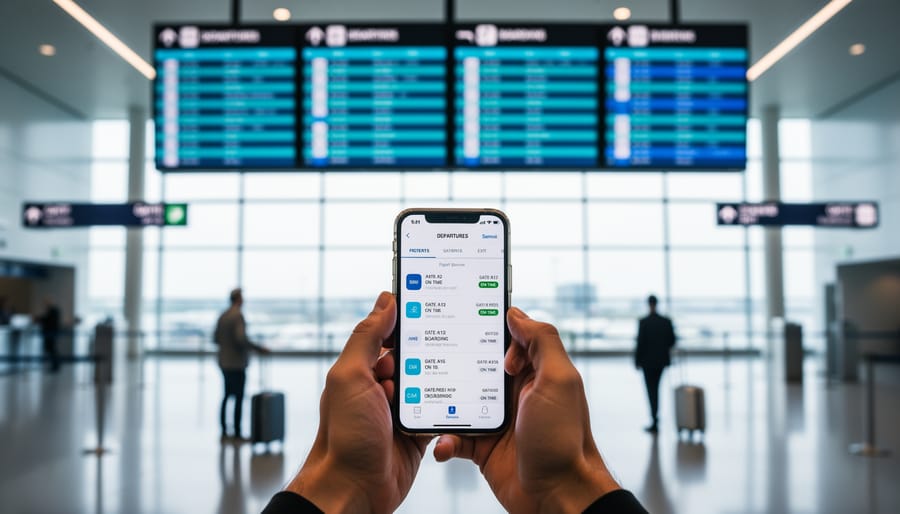
You can check U.S. flight cancellations and delays right now through three reliable sources: your airline’s mobile app, airport departure boards, and real-time flight tracking tools. The fastest approach takes less than two minutes and requires just your smartphone and confirmation number, giving you updates you can trust before you even leave for the airport.
I learned this the hard way during a family trip to Vancouver last summer. We were driving to the airport when my sister casually mentioned she’d heard something about weather delays on the news. Instead of hoping for the best, we pulled over and checked our airline’s app. Our connecting flight through Chicago had been delayed three hours, information that wasn’t yet reflected on the airport’s main website. That five-minute pit stop saved us from sitting at the gate with restless kids for half the afternoon.
The truth is, flight disruptions happen more often than most travelers realize, especially during peak summer travel season and holiday periods. Airlines typically know about delays 30 to 60 minutes before they update public departure boards, which means checking directly through official channels gives you a serious advantage. This becomes even more critical when you’re connecting through major U.S. hubs like Atlanta, Dallas, or Denver on your way to Canadian destinations.
What sets successful travelers apart isn’t luck. It’s knowing exactly where to look, what information matters most, and how to verify what you’re seeing before making decisions about rebooking or heading to the airport. The monitoring process itself is straightforward once you understand which tools show live data versus cached information from hours earlier.
Tools and Resources You’ll Need
Before you can track U.S. flight cancellations and delays effectively, you need the right tools at your fingertips. I learned this the hard way after scrambling through airport WiFi trying to piece together my flight status during a snowstorm that hit O’Hare on my way to Toronto. Having everything organized beforehand makes all the difference when disruptions happen.
The good news? You don’t need anything fancy or expensive. Most of what you’ll need is already on your phone or in your inbox. Here’s what to gather before your trip:
- Your airline’s official mobile app (Air Canada, United, Delta, American, etc.)
- Access to the email address linked to your booking
- Your flight confirmation number and booking reference
- Real-time alert sources like Air Canada’s Daily Travel Outlook for northern routes
- The airline’s customer service phone number saved in your contacts
Your airline’s app is your primary tool. Air Canada’s app, for example, shows scheduled and estimated departure times, delays, and cancellations for flights by route or flight number. Other carriers like JetBlue send email notifications about trip changes, so keep that inbox accessible even if you’re used to ignoring promotional emails.
For broader disruption awareness, Air Canada’s Daily Travel Outlook provides today’s outlook on possible disruptions affecting Air Canada, Air Canada Rouge, and regional partners. This source lists affected airports by date, region, and cities, which is incredibly helpful when severe weather or other uncontrollable events hit multiple hubs.
Keep your booking reference handy because you’ll need it to access rebooking options through the airline’s app when disruptions occur. Trust me, fumbling through old emails while standing in a rebooking line isn’t fun. Write it down or screenshot your confirmation for quick access.

When to Check for Flight Disruptions
I learned this the hard way on what should’ve been a quick hop from Seattle to Vancouver. I’d planned to catch an early afternoon flight, packed light, and headed to the airport feeling confident, only to find a two-hour delay that turned into a cancellation when unexpected fog rolled into SeaTac. If I’d checked my flight status that morning instead of assuming everything was fine, I could’ve rebooked from home and saved myself hours of airport limbo.
The best time to check for U.S. flight cancellations and delays is 24 hours before departure, then again the morning of your travel day, and once more about two hours before you leave for the airport. This three-check rhythm gives you enough lead time to adjust your plans if disruptions appear. I also check immediately whenever I see a weather alert for my departure city or any connecting hubs, snowstorms in Chicago or thunderstorms across the Northeast can ripple through the entire system, affecting flights heading to Canada even when your destination has clear skies.
Set yourself up for success by enabling push notifications from your airline’s app and keeping an eye on your email inbox. Sometimes airlines send rebooking options before you even realize there’s a problem, and acting quickly can mean the difference between a minor inconvenience and packing for delays that turn into overnight stays. I now treat flight monitoring as part of my pre-trip routine, right alongside confirming my passport and double-checking my booking reference.
Step-by-Step: How to Monitor Your Flight Status
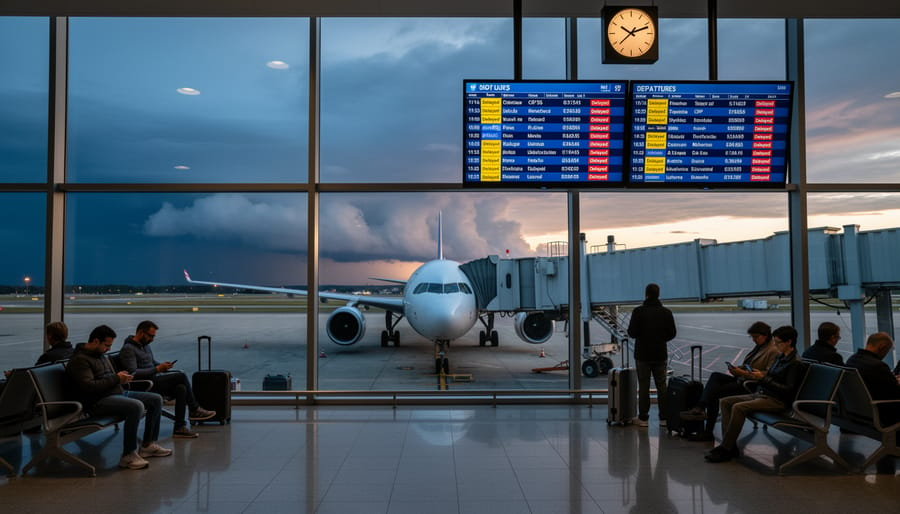
Step 1: Open Your Airline’s Official App
Your airline’s official app is your fastest, most reliable tool for tracking U.S. flight cancellations and delays in real time. I learned this the hard way on a trip from Phoenix to Calgary, refreshing third-party sites in the terminal while my phone already had the airline’s app with my actual departure gate and delay notification waiting. Download your carrier’s app before your travel day (whether that’s Air Canada for direct routes into Canada or a U.S. carrier connecting through Seattle, Denver, or other northern hubs) and log in with your booking reference.
Once you’re in the app, here’s what to check:
- Tap on your upcoming trip or enter your flight number to pull up today’s flight details.
- Look for both the scheduled departure time and the estimated departure time, if they differ, your flight is delayed.
- Check the arrival time field for the same comparison; delays accumulate differently depending on routing.
- Note the gate number and any status badges like “On Time,” “Delayed,” or “Cancelled.”
Air Canada’s app, for example, provides status updates by route and flight number, showing scheduled versus estimated times for departures and arrivals. Most airline apps refresh automatically, but pull down to manually refresh if you’re monitoring a developing weather situation. The app will also surface rebooking options the moment they become available if your flight is disrupted, something you won’t get by just staring at the departures board.
Step 2: Look for Travel Alerts and Disruption Updates
Once you’ve opened the airline app, your next move is to hunt down the travel alerts section, this is where airlines post official disruption updates that could save you hours of frustration. Most airline apps have a dedicated “Travel Alerts” or “Service Updates” tab on the home screen, and you’ll want to check this before you even look at your specific flight.
Air Canada’s Daily Travel Outlook is particularly useful for travelers heading north, since it lists today’s outlook on possible disruptions to Air Canada, Air Canada Rouge, and partner flights. The alerts show affected airports by date, region, and cities, so you can quickly see if your departure city or connecting hub is experiencing U.S. flight cancellations or delays. I learned to check this after getting blindsided by weather delays in Chicago that weren’t obvious from my flight status alone, the travel alert had flagged O’Hare two hours before my scheduled departure.
When there’s severe weather or other uncontrollable events, these alerts update frequently throughout the day. Don’t just check once in the morning and assume you’re clear. I refresh the alerts section when I wake up, again before I leave for the airport, and one final time in the rideshare on the way there. It takes thirty seconds and has genuinely changed my travel outcomes, especially on cross-border routes where cascading delays can ripple through the system.
Step 3: Check Your Email for Airline Notifications
I learned this lesson the hard way on a Sunday morning when my phone app showed “on time,” but buried in my inbox was an email from the airline sent three hours earlier about a gate change and a thirty-minute delay. Now I check my email every time, even after I’ve looked at the app.
Airlines like JetBlue send automatic notifications whenever there’s a schedule change, cancellation, or significant delay. These emails often arrive before the app updates, especially during widespread disruptions affecting multiple U.S. airports. The message will include your flight number, the nature of the change, and any action you need to take, like confirming a new departure time or accepting a rebooking.
Here’s the thing: watch for flight-change emails from your carrier, because they create a paper trail that can help if you need to claim a refund or compensation later. I keep a dedicated folder for trip confirmations so nothing gets lost in the shuffle, and I set my email app to flag messages from airlines as priority.
If you haven’t received any emails but you’re seeing alerts elsewhere, double-check your spam folder and confirm the email address on file with the airline is current. Missing that notification could mean missing your rebooking window when flights into Canada are filling up fast.
Step 4: Review Available Rebooking Options
When a flight delay or cancellation pops up, your airline app becomes your best friend for finding solutions fast. Most carriers now load rebooking options directly into their apps the moment a disruption is confirmed, so you don’t waste time on hold or standing in a terminal line.
Open your airline’s official app and tap on your affected flight, you’ll typically see a “rebooking options” or “change flight” button that displays available alternatives. These usually show flights on the same route for the next several hours or days, along with any seat availability. The key is acting quickly: those seats disappear fast when U.S. flight cancellations and delays ripple through busy routes to Canada.
Look for flights that get you close to your original arrival time, but also consider indirect routing if direct options are full. I’ve salvaged trips by accepting a connection through Toronto instead of my original nonstop to Vancouver, sometimes the longer route beats waiting 24 hours for the next direct flight.
Here’s an insider tip: if the app shows “no available rebooking options,” don’t give up. Call the airline immediately or visit their airport desk, because agents can sometimes access inventory the app doesn’t display. And while you’re problem-solving, remember that flexible booking and quick thinking are essential money-saving tips that help you avoid expensive last-minute hotel stays or missed vacation days.
Screenshot any rebooking confirmation before closing the app, it’s your proof if questions arise later.
Verifying Your Flight Status: What to Double-Check
I learned this the hard way when a third-party app showed my Vancouver-bound flight as “on time” while the airline’s own site already flagged a two-hour delay. Cross-referencing your sources isn’t just smart, it’s essential before your Canada trip.
Start by understanding the difference between scheduled and estimated times. The scheduled time is what you booked originally, while the estimated time reflects current conditions, delays, and any adjustments. If you see a gap between these two, your flight’s definitely facing disruptions. When I spotted a three-hour difference on my Seattle departure last winter, I knew I had time to grab dinner instead of rushing through security.
Double-check that the information matches across multiple official channels. Pull up the airline app, check your email for notifications, and glance at the carrier’s website travel alerts page. All three should tell the same story. If they don’t, the most recent update usually wins, but that’s when you’ll want to call the airline directly for clarification.
Speaking of calling, do it when you spot conflicting information or when the app shows vague language like “delayed” without a new departure time. Gate agents and phone representatives have access to real-time operational data that apps haven’t synced yet. I’ve saved entire Canada trips by making that call and learning about rebooking options that never appeared in the app.
Pay attention to whether you’re looking at departure or arrival times, too. A delay leaving Chicago doesn’t always mean you’ll arrive in Toronto late if the pilot makes up time in the air, though I wouldn’t count on it for tight connections. These Canada travel tips apply whether you’re flying direct or connecting through U.S. hubs.
Frequently Asked Questions
How early should I check my flight status before heading to the airport?
I always check my flight status at least 24 hours before departure and again 2-3 hours before leaving for the airport. When severe weather or other uncontrollable events are forecasted, checking even earlier helps you stay ahead of potential disruptions and gives you more rebooking options.
What if my connecting flight to Canada is affected by U.S. delays?
Open the airline’s official app immediately to check the rebooking options already available for your connecting flight. Airlines typically rebook you automatically on the next available flight, but acting quickly gives you more choices, especially during the best time to visit Canada when flights fill up fast.
What’s the difference between delay and cancellation alerts?
A delay alert means your flight is still operating but departure or arrival times have changed, while a cancellation means the flight won’t operate at all and you’ll need rebooking. Both show up in your airline app under trip details, with delays displaying updated estimated times and cancellations triggering automatic rebooking notifications.
Can I get compensation for U.S. flight cancellations or delays?
Compensation policies vary by airline and the reason for disruption, delays caused by weather or air traffic control typically don’t qualify, while airline-caused issues might. Check your specific airline’s policy through their app or website, and save all your delay documentation just in case.
These questions come up constantly in my own travel planning, especially when I’m coordinating cross-border trips. The Daily Travel Outlook for Air Canada, Air Canada Rouge and regional carriers helps answer that first question about timing, since it provides today’s outlook on possible disruptions by date, region and cities. I’ve learned that checking multiple times isn’t paranoid, it’s smart preparation.
One trick I picked up after a frustrating Seattle-to-Vancouver connection mess: sign up for email notifications from every carrier involved in your journey. JetBlue and other airlines send email notifications about your trip to keep you informed, sometimes faster than the app updates. I once got an email about a gate change while still waiting for the app to refresh, which gave me a crucial ten-minute head start to the new departure area.
The compensation question frustrates travelers most because policies aren’t standardized across carriers. What I tell friends is this: document everything. Screenshot your flight status showing scheduled versus estimated departure and arrival times, save those email alerts, and note what caused the delay if the airline states it. Even if compensation isn’t guaranteed, having this record helps if you need to file a claim later or explain why you missed that non-refundable hotel reservation in Montreal.
verification
After you’ve checked your airline app and reviewed the official travel alerts, take a moment to verify what you’re seeing. I learned this on a winter trip from Boston to Montreal, my app showed a delay, but the airport board had different information. Cross-reference your flight status across at least two sources: the airline’s app and their website. Pay attention to whether you’re looking at the scheduled time or the estimated time, since those can differ significantly during disruptions.
If something feels off or the information conflicts, don’t hesitate to call the airline directly. Their agents have access to real-time systems and can confirm whether a U.S. flight cancellation or delay is actually affecting your route to Canada. I’ve found this especially helpful when connecting flights are involved, sometimes the app doesn’t show the full picture of how one delay cascades into your entire itinerary.
One important safety note: stick to official airline sources for your flight status. Third-party flight tracker sites can be outdated or inaccurate, and you don’t want to rush to the airport or miss a rebooking window based on wrong information. Trust the carrier’s own channels first.
I’ll be honest, I used to be the traveler who’d just show up at the airport and hope for the best. That changed after a nasty winter storm left me stranded in Chicago when I was trying to reach Montreal for a ski trip. Now? I check my flight status religiously, and it’s saved more than one adventure.
Look, U.S. flight cancellations and delays are frustrating, but they don’t have to derail your Canadian getaway. By downloading your airline’s app, setting up email alerts, and checking for travel advisories before you head out, you’re giving yourself options instead of scrambling at the gate. When disruptions happen, you’ll already know your rebooking choices and can act fast.
Canada’s breathtaking landscapes and vibrant cities are absolutely worth the journey. A little proactive monitoring means you’ll spend less time stressed about delays and more time enjoying everything from Vancouver’s waterfront to Toronto’s food scene. Safe travels, and don’t let a flight hiccup steal your excitement for the incredible experiences waiting up north.